Vacation Rentals
The Coastal Vacation Rental Smart TV, Media Console, and Remote Control Turnover Protocol: Mitigating Sandy Residues, Logged-In Streaming Accounts, and Salt-Air Port Corrosion under Grand Strand Saturday Turn Pressures
Learn how to manage and sanitize smart TVs, streaming media players, and consoles during high-volume Saturday turnovers to protect guest privacy and prevent negative reviews.
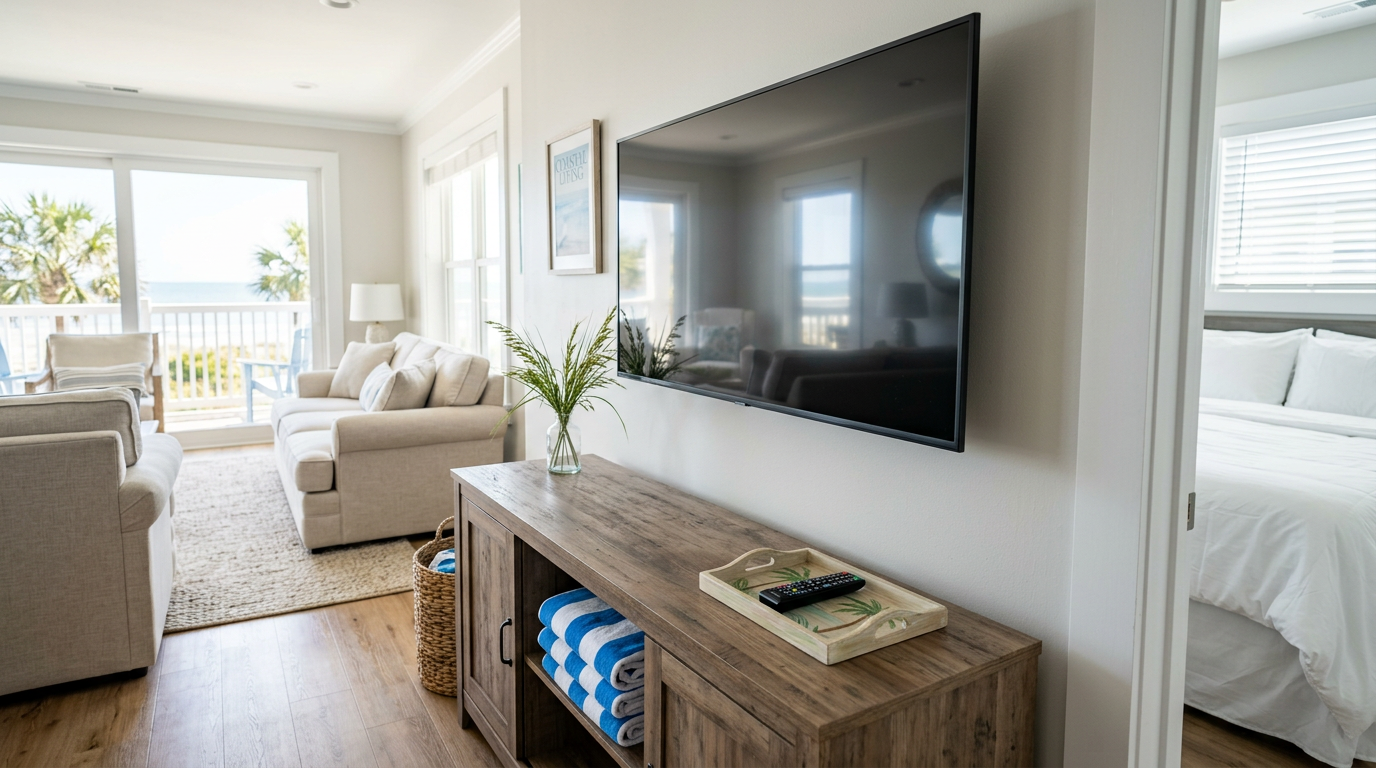
When guests arrive at a Myrtle Beach vacation rental after a long, humid drive down Highway 17, their first actions are almost always the same: they turn on the air conditioning and sit down to turn on the television. If the remote control is sticky with sunscreen, the smart TV is still logged into the previous guest's personal Netflix account, or the screen is covered in a hazy layer of salt-air dust, the guest's perception of cleanliness immediately plummets. In the high-stakes vacation rental market of the Grand Strand, media center issues are a leading driver of early-stay complaints and sub-five-star reviews on Airbnb and Vrbo. Implementing a rigorous, repeatable media center turnover protocol ensures your technology works flawlessly and remains sanitary throughout the frantic Saturday turn window.
The Entertainment Center Hospitality Gap on the Grand Strand
In coastal South Carolina, vacation rental standards are exceptionally high, yet the living room entertainment center is frequently overlooked during rapid turnover cleanings. Unlike a standard residential setting, a beach rental media station experiences heavy, direct physical interaction from dozens of different families every season. Guests return from the beach with salt-crusted fingers, sunscreen-laden palms, and fine sand that inevitably transfers to the remote controls, console surfaces, and media ports.
When an incoming guest encounters a sticky remote or a dusty media cabinet, it signals a lack of deep cleaning that can taint their entire stay. Furthermore, rainy summer afternoons along the Grand Strand send entire families indoors to stream movies, making a fully operational, clean, and reset television system a critical component of guest satisfaction. A failure in this area results in immediate service calls, disrupting the guest's vacation and straining property management resources.
By treating the media center as a high-touch sanitary zone rather than an afterthought, hosts can proactively eliminate one of the most common friction points in short-term rental management. A standardized approach not only protects your physical hardware from the corrosive coastal environment but also safeguards the digital privacy of departing guests while delivering an immaculate first impression to incoming travelers.
The Sandy-Silt Remote Control Decontamination Standard
Remote controls are among the most bacteriologically active items in any vacation rental, carrying sebum, sunscreen, food residues, and fine beach sand deep into the rubberized button membranes. Liquid disinfectants should never be sprayed directly onto remotes, as moisture can easily penetrate the casing, shorting out the internal contacts and causing premature button failure. Instead, clean remote controls using a specialized dry-to-damp microfiber technique designed to pull grit out of the tight crevices.
To begin, use an clean, dry, soft-bristled detail brush or a wooden toothpick to gently sweep away sand-silt and skin-cell buildup from the interstitial spaces around each button. Next, lightly mist a clean microfiber cloth with a 70% isopropyl alcohol solution—never spray the remote itself—and thoroughly wipe down all surfaces of the housing. This alcohol concentration evaporates quickly, killing pathogens and cutting through oily sunscreen residues without damaging the printed labels on the buttons.
Ensure the remote is completely dry before placing it in a designated, visible spot for the incoming guest, such as on top of a freshly wiped coffee table or in a dedicated media tray. For properties aiming to maximize their hospitality scores, placing the sanitized remote inside a clean, recyclable paper sleeve labeled 'Sanitized for Your Stay' provides powerful visual reassurance. This simple detail demonstrates to guests that every square inch of the property has been meticulously prepped for their arrival.
The Streaming Account Sign-Out and Digital Reset Workflow
Digital privacy has become a major concern for modern travelers, many of whom log into their personal Netflix, Disney+, Prime Video, or Hulu accounts on the rental's smart TV during their stay. Departing guests almost always forget to log out, leaving their personal accounts vulnerable to unauthorized use, profile manipulation, and pay-per-view charges by subsequent renters. When the next guest attempts to use the TV, they are often locked out by screen-limit caps or confused by another user's customized interface.
During every Saturday turnover, housekeepers or inspectors must execute a strict digital reset protocol on all television units. If your properties utilize Roku devices, enabling 'Guest Mode' (formerly Auto Sign-Out Mode) is highly recommended, as it allows guests to select their checkout date and automatically logs them out of all channels at a specified time. For standard smart TVs running Samsung Tizen, LG webOS, or Android TV, the housekeeper must manually navigate to the settings menu of each major app to sign out.
In cases where manual sign-out is too time-consuming during a tight turn, property managers can utilize universal 'Sign Out of All Devices' features on master accounts, or perform a soft system reset on the TV hardware. Keeping a laminated, step-by-step digital reset guide on the inside of the utility closet door helps cleaning crews complete this step in under ninety seconds. Ensuring a blank, ready-to-use streaming interface is a crucial marker of professional hospitality that guests notice and appreciate.
Mitigating Salt-Air Corrosion on Media Ports and Cabling
Myrtle Beach's humid, salt-laden atmosphere is highly destructive to electronic connections, accelerating the oxidation of metal terminals behind media consoles and wall-mounted televisions. When salt-damp air mixes with fine drywall dust and pet dander, it forms a sticky, conductive crust inside HDMI ports, coaxial connections, and USB slots. Over time, this corrosion causes intermittent signal loss, screen flickering, and complete hardware failure.
To mitigate this hidden coastal threat, the turnover team must conduct a monthly visual inspection of all rear-facing TV panels and media connections. Ensure all HDMI and optical cables are seated firmly in their ports to minimize the metal surface area exposed to ambient humidity. If green copper oxidation or gray crust is visible on the ports, they should be cleaned with a specialized electronic contact cleaner and a non-static foam swab.
Additionally, ensure that cables are neatly bundled using hook-and-loop wraps rather than plastic zip ties, which can crimp wires and trap salty condensation. Elevating power strips and surge protectors off the floor prevents them from accumulating sandy floor sweepings and damp coastal moisture. This preventative maintenance drastically extends the lifespan of expensive media equipment and prevents frustrating mid-stay AV failures.
- Inspect HDMI and power connections monthly for green or gray corrosion crust
- Clean oxidized ports using specialized electronic contact cleaners and foam swabs
- Bundle cables neatly with hook-and-loop wraps to prevent moisture traps
- Keep surge protectors elevated off the floor to avoid sand-grit accumulation
- Ensure all rear ventilation ports on the TV are free of salt-damp dust webs
Media Console Venting, Dust Capture, and Cabling Organization
The physical media cabinet or console is a major catchment area for sand, hair, and dust bunnies, which are drawn in by the electromagnetic fields and cooling fans of electronic devices. Dust accumulation on gaming consoles, cable boxes, and streaming receivers acts as an insulating blanket, trapping heat and causing components to overheat and shut down unexpectedly. During the turnover, the interior shelves, cooling vents, and rear cable runs must be thoroughly cleaned.
Using a vacuum equipped with a soft-brush attachment and a HEPA filter, gently sweep the cooling vents of all electronic devices to extract loose dust before it can migrate inside. Avoid using high-pressure compressed air cans, which can force salty dust deeper into the sensitive circuitry of game systems or audio receivers. Once the dust is cleared, wipe down the hard surfaces of the media console using an anti-static cloth lightly treated with a wood-safe or laminate-safe cleaner.
Inspect the open spaces behind and beneath the console to ensure guests have not left behind personal belongings, such as phone chargers, gaming discs, or children's toys. Organizing these areas not only prevents fire hazards from dust-clogged outlets but also presents an ordered, high-end aesthetic to incoming guests. A clean, wire-managed media station conveys a sense of rigorous, professional property management.
The Remote Battery and Hardware Functionality Audit
Nothing frustrates a tired traveler quite like sitting down to watch a show only to find that the television remote has dead batteries or a broken battery compartment door. In humid coastal environments, standard alkaline batteries are prone to rapid discharge and corrosive leakage, which can ruin the remote's internal spring terminals. A functional audit of every remote control must be performed during the final walk-through of every turnover.
Inspectors should test the physical buttons for responsiveness and check the battery compartment for signs of white, powdery potassium carbonate leakage. If leakage is present, the remote must be replaced immediately, or cleaned using a cotton swab dipped in vinegar or lemon juice to neutralize the alkaline crust. To prevent emergency maintenance calls, replace alkaline batteries with high-quality lithium-iron disulfide batteries, which resist leaking and perform exceptionally well in humid climates.
Additionally, verify that the battery cover is securely taped or snapped in place, as missing battery doors are a frequent cause of guest complaints and child safety hazards. Keep a standardized stock of replacement remotes for your specific TV models in the property's locked owner's closet. This proactive preparation ensures that a broken remote can be replaced by the cleaning crew in minutes, avoiding a negative mark on your guest review.
Integrating the AV Reset into the Saturday Turnover Workflow
During the peak summer season, Grand Strand cleaning crews operate within an incredibly tight window, often having only four hours to turn over a multi-bedroom oceanfront condo. To ensure the smart TV and media center protocol is executed consistently without causing delays, it must be integrated seamlessly into the standard housekeeping checklist. The media center reset should be performed early in the cleaning sequence, immediately after the initial trash-out and linen stripping.
Performing the AV reset early allows the television to remain on during the rest of the cleaning process, serving as a functional test for the Wi-Fi connection and screen display. As the housekeeper wipes down the living room surfaces, they can easily monitor the TV screen to confirm that all streaming channels are signed out and the system is ready for the next guest. This parallel tasking saves valuable minutes and ensures that no steps are missed in the rush.
To enforce compliance, property managers should require housekeepers to upload a time-stamped photo of the active TV screen showing the clean 'Guest Welcome' or 'Input Selection' page as part of their digital checkout process. This photographic evidence verifies that the digital reset was completed and provides a clear record of screen condition in the event of guest damage claims. Linking cleaning standards with digital verification ensures consistent quality across large vacation rental portfolios.
The Emergency 'TV-Ready' Backup Kit for Property Managers
Even with the most rigorous turnover protocols, hardware failures, lost remotes, and connection issues will occasionally occur during a guest's stay. To minimize response times and protect your ratings, property managers should supply their housekeeping vehicles or the property's locked owner's closet with a dedicated emergency media kit. This kit should contain universal smart TV remotes pre-programmed for the specific TV models used in the home, spare HDMI cables, and fresh batteries.
Having these low-cost items immediately available on-site prevents the need to dispatch specialized maintenance technicians or purchase expensive retail replacements on short notice during a busy weekend. A quick call to the team at A2Z Cleaning & Linen Services at 843.800.2788 can help you coordinate professional turnover management that includes these detailed checks. Investing in small, proactive redundancies keeps your rental running smoothly and preserves your valuable host status.
By treating the media center with the same level of care as the kitchen or bathroom, you elevate the professionalism of your vacation rental brand. In the highly competitive Grand Strand market, it is these subtle, thoughtful details—like a clean remote, a reset TV, and a perfect media setup—that turn first-time guests into loyal, repeat bookers who leave glowing five-star reviews season after season.
- Stock locked owner closets with pre-programmed universal remotes for every TV model
- Keep high-quality lithium AAA and AA batteries on hand to resolve power issues quickly
- Maintain spare high-speed HDMI cables to replace corroded lines instantly
- Store a laminated guide detailing the factory-reset codes for every television
- Equip housekeeping supervisors with electronic contact cleaner for quick port servicing
Key takeaway
Maintaining an immaculate, digitally reset, and salt-protected media station is a critical component of professional vacation rental management along the Grand Strand. By integrating remote sanitization, streaming account logouts, and hardware checks into your Saturday turnover routine, you protect guest privacy and secure five-star reviews. Partnering with a detailed, professional service like A2Z Cleaning & Linen Services at 843.800.2788 ensures your entertainment systems are always ready for guest arrival.
Keep Reading
Vacation Rentals
The Coastal Vacation Rental Outdoor Grill and BBQ Station Turnover Protocol: Mitigating Grease Fire Risks, Carbon-Crust Build-Up, and Low-Propane Lockouts under Grand Strand Saturday Turn Pressures
ReadVacation Rentals
The Coastal Vacation Rental Refrigerator and Ice Maker Turnover Protocol: Mitigating Seafood Odor Residues, Condensation-Induced Mold, and Ice-Bin Biofilms under Grand Strand Saturday Turn Pressures
ReadVacation Rentals
The Coastal Vacation Rental Sleeper Sofa and Fold-Out Bed Turnover Protocol: Mitigating Hidden Sand-Grit, Lost Detritus, and Bedding-Mismatch Delays under Grand Strand Turn Pressures
ReadReady for a spotless property?
Call 843.800.2788 or request a free quote from A2Z Cleaning & Linen Services.